How objects in your home can interfere with your wi-fi signal

A lot can get between you and an interruption-free internet connection. Here's how to help reduce the barriers to faster Wi-Fi.

Even in an advanced digital age, internet speeds can be inconsistent – sometimes you're streaming at the speed of light, and other times things come to a grinding halt.

When it comes to what's slowing you down, there are plenty of potential culprits. Has your once trusty router seen better days? Perhaps your partner burnt through your data on a streaming binge?

But it doesn't stop there. Could your shady next-door neighbour be piggybacking on your network? Your crummy toaster interfering with the power source? 

Let's try and sort fact from fiction when it comes to what could be slowing down, and what can potentially speed up your internet.

Getting closer, getting faster

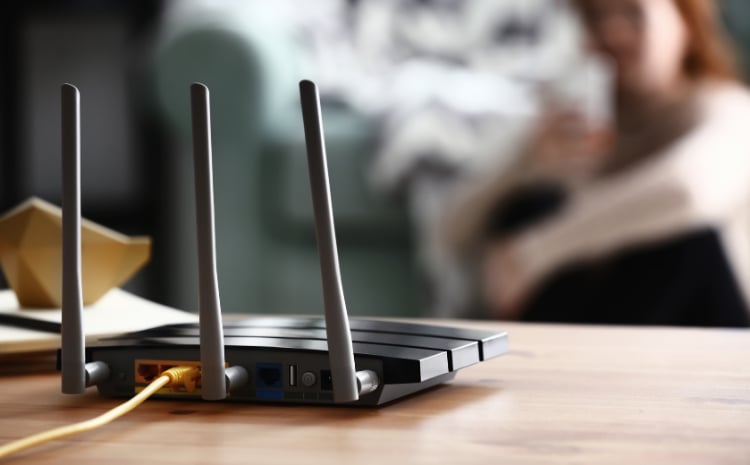
By definition, this is the easiest one to measure. Ever noticed that your Wi-Fi signal is stronger the closer you are to the modem? That's because it usually is. For this reason, it is important to consider where your home's modem is located.

For optimum coverage, it's recommended to place your router in a central part of the house. This can help ensure your Wi-Fi range covers as much of your property as possible, minimising the chances of blind spots. If it's a two-storey house, the second level is generally preferred.

Wherever you decide to put your modem, remember overheating can damage, and in extreme circumstances, even disable the hardware.

Resist covering the modem with any materials or documents, airflow is important to the device and helps to stabilise its temperature.

Tablet with no network

The problem next door

Your neighbour may be partly to blame for your lacklustre internet connection. Not because they have discovered your Wi-Fi password, but because the proximity of your router could be causing interference. It's an especially common problem for Wi-Fi in close-knit properties operating on the same channel, but these issues can be managed.

To help identify the overlaps, you can download an AirPort utility. By running a Wi-Fi scan, you can check if there is an overreliance on certain channels where you live. And if so, it's worth looking into switching your network to a less popular channel.

Due to the specifications of your particular modem, it's worth contacting your provider before altering any settings here. They may also recommend you buy a dual-band router, which can be purchased for as little as AU$100.

If you're friendly with your neighbours, you could have a chat and see if you can increase the distance between your routers. It could help both your causes, but it's worth noting these disturbances can be temperamental.

Bluetooth barriers

Bluetooth technology is the most common form of data connection between mobile and fixed devices. While it was criticised by some users as unreliable in its early years, it has well and truly established itself as the go-to tech for things like headphones and gaming hardware.

Many Bluetooth devices use the 2.4 GHz band, which is also common with Wi-Fi. This could be the cause of your connection interference. You can opt to change your Wi-Fi signal, but it's best to troubleshoot other solutions and speak with your provider before taking this route.

Male entering receipts on their laptop

Space invaders

Wi-Fi technology is remarkably adaptable to its surroundings, but some fibres and textiles can interfere with your signal.

Thick walls, appliances like your fridge or microwave and things like fish tanks can cause issues, as they can absorb, reflect or reduce your Wi-Fi signal. 

Of all common household materials, metal is considered to be the peskiest when it comes to messing with your Wi-Fi signal, so it should be kept out of the immediate vicinity of the modem where possible.

Technically, the more that stands between your router and the device that requires the connection, the tougher it will be for the signal to travel, but the difference of something like an open or shut door is generally quite minor.

A mysterious myriad of devices

Due to the unique frequency of microwaves, baby monitors and radio locators, you may find that this trio of household items can throw off your Wi-Fi signal.

Microwaves are known to interfere with the 2.4 GHz band that Wi-Fi uses, so you may have to brace for slower internet for those few minutes while yesterday's dinner becomes today's lunch.

Similarly, baby monitors (which transmit the audio and sometimes visuals of your precious newborn) and radio locators (often used to help you find the missing keys you were sure you left by the door) can also get in the way of super-fast Wi-Fi. Simply distance these transistors from the router to reduce interference.

Energy and internet - now all in one place

You could save on your internet plan when you combine with AGL energy.

Related articles